 Graph and PowerShell Blog
Recently, I was asked to look at creating a password-protected Zip file via PowerShell using 7-Zip. With one directory as a source, it is relatively straightforward:
$7zipPath = "c:\program files\7-Zip\7z.exe"
Set-Alias Start-SevenZip $7zipPath
Start-SevenZip a -bd -tzip -mx1 -mmt=on -p"password" c:\scripts\file.zip c:\dataFolder
-mtt=on - this turns multi-threading on, important if you have a large amount of data/files to zip
-bd - this stops 7zip from constantly showing the zip file progress, best when running via PowerShell
-mx1 - we are choosing the quickest compression as we will have large files
Set-Alias Start-SevenZip $7zipPath
Start-SevenZip a -bd -tzip -mx1 -mmt=on -p"password" c:\scripts\file.zip c:\dataFolder
However, due to the size of some files being added to the archive, it was decided to leave them in place and add them directly to the archive. 7-Zip allows for this in its command line:
$7zipPath = "c:\program files\7-Zip\7z.exe"
Set-Alias Start-SevenZip $7zipPath
Start-SevenZip a -bd -tzip -mx1 -mmt=on c:\scripts\file.zip -p"password" c:\dataFolder c:\otherFolder\file1.dat c:\otherFolder\file2.dat
Set-Alias Start-SevenZip $7zipPath
Start-SevenZip a -bd -tzip -mx1 -mmt=on c:\scripts\file.zip -p"password" c:\dataFolder c:\otherFolder\file1.dat c:\otherFolder\file2.dat
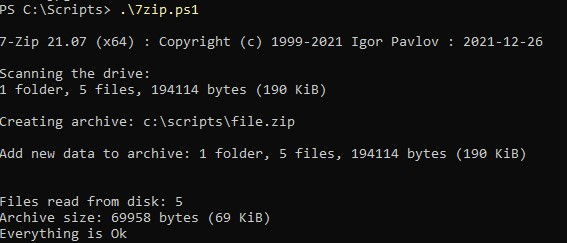
↑ Archive is created from one folder source and two file paths.
Ideally, I would like the two files to be placed in a separate folder, but this is not possible with the command-line version of 7-Zip. You could copy the two files into a folder you wish to archive, but in my case, these files are too large.
For the script I was creating, I needed to add 10 files that were too large to be copied temporarily. When running this via PowerShell, I found that the files did not get added:
NOT WORKING:
$7zipPath = "c:\program files\7-Zip\7z.exe"
Set-Alias Start-SevenZip $7zipPath
$string1 = "c:\Scripts\files2\file1.jpg c:\Scripts\files2\file2.jpg"
Start-SevenZip a -bd -tzip -mx1 -mmt=on -p"password" c:\scripts\file.zip c:\Scripts\files\ $string
WORKING:
$7zipPath = "c:\program files\7-Zip\7z.exe"
Set-Alias Start-SevenZip $7zipPath
$stringL = [System.Collections.Generic.List[string]]::new()
$stringL.add("c:\Scripts\files2\file1.jpg")
$stringL.add("c:\Scripts\files2\file2.jpg")
Start-SevenZip a -bd -tzip -mx1 -mmt=on -p"password" c:\scripts\file.zip c:\Scripts\files\ $stringL
$7zipPath = "c:\program files\7-Zip\7z.exe"
Set-Alias Start-SevenZip $7zipPath
$string1 = "c:\Scripts\files2\file1.jpg c:\Scripts\files2\file2.jpg"
Start-SevenZip a -bd -tzip -mx1 -mmt=on -p"password" c:\scripts\file.zip c:\Scripts\files\ $string
WORKING:
$7zipPath = "c:\program files\7-Zip\7z.exe"
Set-Alias Start-SevenZip $7zipPath
$stringL = [System.Collections.Generic.List[string]]::new()
$stringL.add("c:\Scripts\files2\file1.jpg")
$stringL.add("c:\Scripts\files2\file2.jpg")
Start-SevenZip a -bd -tzip -mx1 -mmt=on -p"password" c:\scripts\file.zip c:\Scripts\files\ $stringL
I found it a bit strange that the command wouldn't take a string but would take an array input, but whatever works!